Raspberry Pi 3 Model A+
Raspberry Pi 3 Model A+
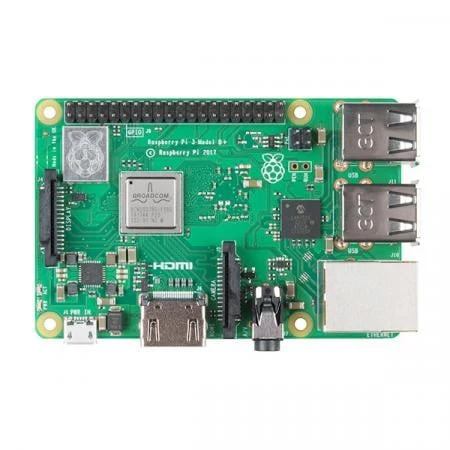
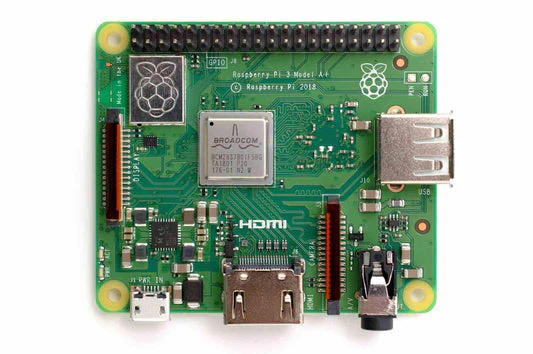
The All new Upgraded 2018s Raspberry Pi 3 Model A+ now comes with the Broadcom BCM2837B0, Cortex-A53 (ARMv8) 64-bit SoC @ 1.4GHz quad-core processor, dual-band wireless LAN, Bluetooth 4.2/BLE in the same mechanical format as the Raspberry Pi 1 Model A+.
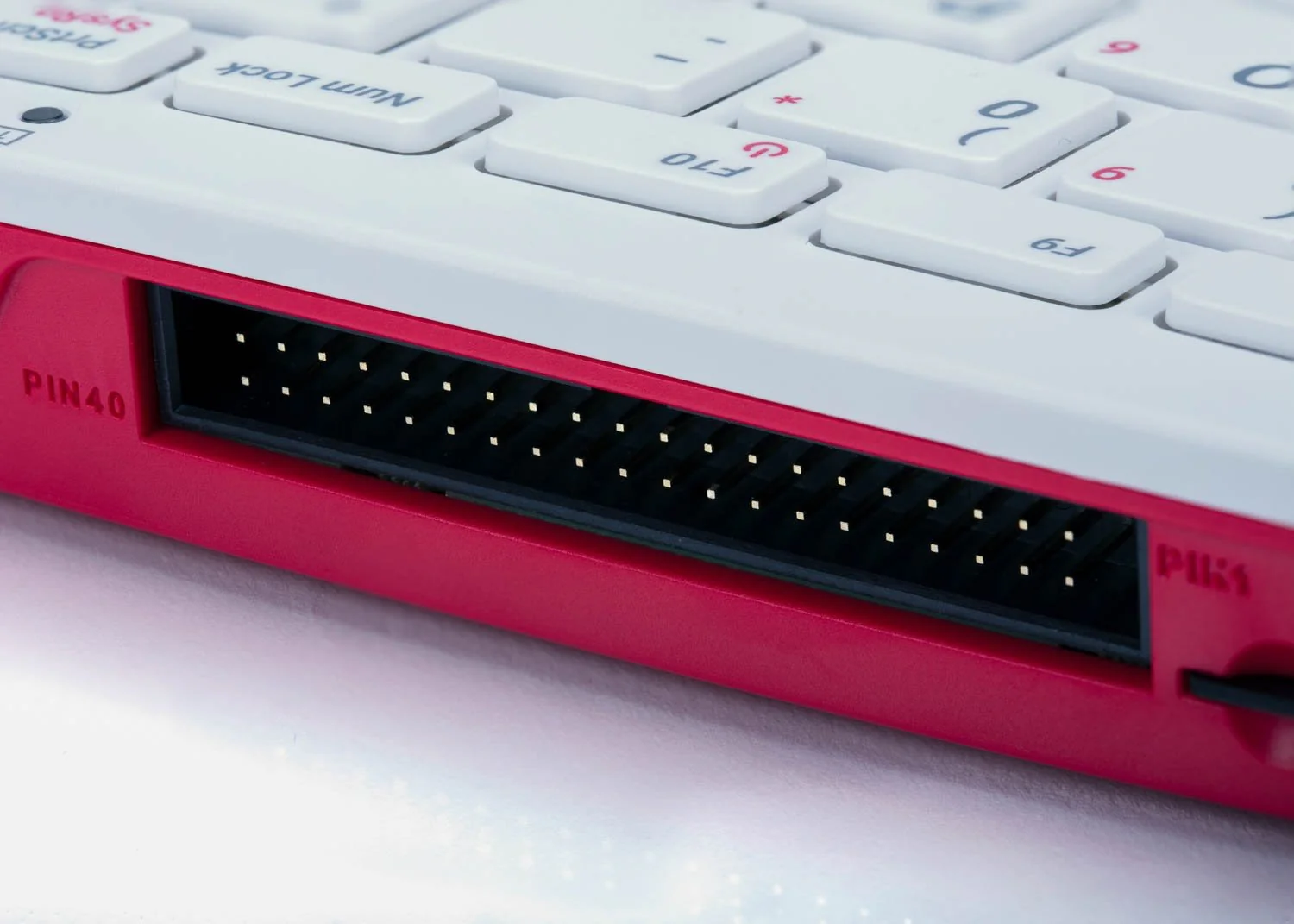
With Extended 40-pin GPIO header and Full-size HDMI it is the perfect board for the minimalist Pi fan. This low-cost Pi uses the same processor as the model B+ but does away with the Ethernet jack and three of the USB Ports. This makes it lower power, less expensive and much lighter & smaller!
It’s still compatible with all Pi operating systems and software and has the exact same 40 pin GPIO connector and camera/display sockets, so any HATs or Pi Plates or other things that plug into the model B+ will work just the same.
It also has the same HDMI, sound/composite connector and micro-USB connector for power
Unlike the Raspberry Model B+, there’s only one USB port and no ethernet jack but it’s also significantly smaller at 65mm x 56mm if you don’t include overhang from the connectors.
Don’t forget, you’ll need a USB power supply with micro USB cable, and a microSD card with a Raspberry Pi OS on it (we suggest a Raspbian 4G card or NooBS 8G card)
To Get Started You’ll Need:
- A micro SD card with NOOBS (see Software & OS tab)
- A high-quality 2.5A micro USB power supply, such as the official Raspberry Pi Universal Power Supply
For a step-by-step guide to getting your Pi up and running, check out our online Getting started guide.
Configuration Guide:
Read basic and advanced guides to configuring your Raspberry Pi.
Remote Access:
Read about accessing your Raspberry Pi remotely.
Software installation:
Beginners should start with the NOOBS (New Out Of Box Software) operating system installation manager, which gives the user a choice of the operating system from the standard distributions.
SD cards with NOOBS pre-installed should be available from any of our global distributors and resellers. Alternatively, you can download NOOBS.
Raspbian is the recommended operating system for normal use on a Raspberry Pi.
Find help with installing Raspbian on your Pi in our online Getting started guide.
You can browse basic examples to help you get started with some of the software available in Raspbian, find more detail about the Raspbian operating system, or read information on fundamental Linux usage and commands for navigating the Raspberry Pi and managing its file system and users.
Package Includes:
1 x Raspberry Pi 3 Model A+ Board
Raspberry Pi 3 Model A+
The All new Upgraded 2018s Raspberry Pi 3 Model A+ now comes with the Broadcom BCM2837B0, Cortex-A53 (ARMv8) 64-bit SoC @ 1.4GHz quad-core processor, dual-band wireless LAN, Bluetooth 4.2/BLE in the same mechanical format as the Raspberry Pi 1 Model A+.
With Extended 40-pin GPIO header and Full-size HDMI it is the perfect board for the minimalist Pi fan. This low-cost Pi uses the same processor as the model B+ but does away with the Ethernet jack and three of the USB Ports. This makes it lower power, less expensive and much lighter & smaller!
It’s still compatible with all Pi operating systems and software and has the exact same 40 pin GPIO connector and camera/display sockets, so any HATs or Pi Plates or other things that plug into the model B+ will work just the same.
It also has the same HDMI, sound/composite connector and micro-USB connector for power
Unlike the Raspberry Model B+, there’s only one USB port and no ethernet jack but it’s also significantly smaller at 65mm x 56mm if you don’t include overhang from the connectors.
Don’t forget, you’ll need a USB power supply with micro USB cable, and a microSD card with a Raspberry Pi OS on it (we suggest a Raspbian 4G card or NooBS 8G card)
To Get Started You’ll Need:
- A micro SD card with NOOBS (see Software & OS tab)
- A high-quality 2.5A micro USB power supply, such as the official Raspberry Pi Universal Power Supply
For a step-by-step guide to getting your Pi up and running, check out our online Getting started guide.
Configuration Guide:
Read basic and advanced guides to configuring your Raspberry Pi.
Remote Access:
Read about accessing your Raspberry Pi remotely.
Software installation:
Beginners should start with the NOOBS (New Out Of Box Software) operating system installation manager, which gives the user a choice of the operating system from the standard distributions.
SD cards with NOOBS pre-installed should be available from any of our global distributors and resellers. Alternatively, you can download NOOBS.
Raspbian is the recommended operating system for normal use on a Raspberry Pi.
Find help with installing Raspbian on your Pi in our online Getting started guide.
You can browse basic examples to help you get started with some of the software available in Raspbian, find more detail about the Raspbian operating system, or read information on fundamental Linux usage and commands for navigating the Raspberry Pi and managing its file system and users.
Package Includes:
1 x Raspberry Pi 3 Model A+ Board
Description
Raspberry Pi 3 Model A+
The All new Upgraded 2018s Raspberry Pi 3 Model A+ now comes with the Broadcom BCM2837B0, Cortex-A53 (ARMv8) 64-bit SoC @ 1.4GHz quad-core processor, dual-band wireless LAN, Bluetooth 4.2/BLE in the same mechanical format as the Raspberry Pi 1 Model A+.
With Extended 40-pin GPIO header and Full-size HDMI it is the perfect board for the minimalist Pi fan. This low-cost Pi uses the same processor as the model B+ but does away with the Ethernet jack and three of the USB Ports. This makes it lower power, less expensive and much lighter & smaller!
It’s still compatible with all Pi operating systems and software and has the exact same 40 pin GPIO connector and camera/display sockets, so any HATs or Pi Plates or other things that plug into the model B+ will work just the same.
It also has the same HDMI, sound/composite connector and micro-USB connector for power
Unlike the Raspberry Model B+, there’s only one USB port and no ethernet jack but it’s also significantly smaller at 65mm x 56mm if you don’t include overhang from the connectors.
Don’t forget, you’ll need a USB power supply with micro USB cable, and a microSD card with a Raspberry Pi OS on it (we suggest a Raspbian 4G card or NooBS 8G card)
To Get Started You’ll Need:
- A micro SD card with NOOBS (see Software & OS tab)
- A high-quality 2.5A micro USB power supply, such as the official Raspberry Pi Universal Power Supply
For a step-by-step guide to getting your Pi up and running, check out our online Getting started guide.
Configuration Guide:
Read basic and advanced guides to configuring your Raspberry Pi.
Remote Access:
Read about accessing your Raspberry Pi remotely.
Software installation:
Beginners should start with the NOOBS (New Out Of Box Software) operating system installation manager, which gives the user a choice of the operating system from the standard distributions.
SD cards with NOOBS pre-installed should be available from any of our global distributors and resellers. Alternatively, you can download NOOBS.
Raspbian is the recommended operating system for normal use on a Raspberry Pi.
Find help with installing Raspbian on your Pi in our online Getting started guide.
You can browse basic examples to help you get started with some of the software available in Raspbian, find more detail about the Raspbian operating system, or read information on fundamental Linux usage and commands for navigating the Raspberry Pi and managing its file system and users.
Package Includes:
1 x Raspberry Pi 3 Model A+ Board